Home - under $500
Best Standing Desk Under $500 (October 2026)
Every standing desk goes up and down. The ones worth buying stay still once they get there, and that is a frame question, not a motor question.
By Brijon M. - Published October 5, 2026

The short answer
The FlexiSpot E7 is the best standing desk under $500: a dual-motor, three-stage frame with the rigidity to stay steady at standing height. If the budget is tighter, a Fezibo single-motor desk still raises and lowers reliably. Shop on **leg stages and motor count**, because those decide wobble - not the desktop.
Disclosure: we earn commission on qualifying purchases made through the links below, at no extra cost to you. It never changes the order of our picks - here is how that works.
Wobble is the only real failure mode
Almost nobody returns a standing desk because it will not go up. They return it because at standing height, typing makes the monitor shake. That is lateral stability, and three specs control it.
Leg stages. A two-stage leg is two nested tubes; a three-stage leg is three. More stages means more overlap between sections at full extension, which means less sway - and it also means the desk can go lower, which matters if you are short or want to sit properly. Three-stage legs are the single biggest upgrade in this price band.
Motor count. A single-motor desk drives both legs from one motor through a connecting bar. A dual-motor desk has a motor in each leg. Dual motors lift more, lift faster, run quieter, and - because there is no long cross-shaft doing the work - they handle an unevenly loaded desktop better.
Foot and frame geometry. Wide feet and a deep crossbeam resist the front-to-back rock that happens when you lean on the desk. A desk with a narrow footprint will always feel less planted, regardless of its motors.
- Three-stage legs reduce sway and extend the height range at both ends.
- Dual motors lift more and stay quieter under load.
- Weight capacity is a stability proxy - a 300lb+ rating means a stiffer frame.
Measure your own standing height before you shop
The published height range is the spec most likely to make a desk unusable for you, and it is the easiest to check in advance.
Stand up straight with your elbows at roughly 90 degrees and have someone measure from the floor to your elbow. That number, give or take an inch, is your standing desk height. Then do the same sitting in the chair you will actually use.
Two traps follow. If you are tall - over about 6'2" - a lot of desks top out below where you need them, and a keyboard too low at standing height causes wrist problems quickly. If you are short, many desks do not go low enough to sit at properly, which is the more common and less-discussed problem; a 28-inch minimum is high for anyone under about 5'4".
Finally, remember the desktop thickness adds to the frame's quoted range, and a keyboard tray subtracts from it.
Quick picks
The short version. Tap any row to jump to the full write-up, or go straight to Amazon to check the current price.
| # | Product | Best for | Price |
|---|---|---|---|
| 1 | FlexiSpot E7 Dual motors, three-stage legs and a 300lb-plus capacity, comfortably inside the budget. | Best overall | |
| 2 | FlexiSpot E7 Pro The E7 frame in a C-leg layout, for more legroom and a slightly stiffer feel. | Best if you need the extra rigidity | |
| 3 | FlexiSpot EN-series (EN1/EN2) Four height presets and built-in power, for a fraction of the flagship price. | Best value with memory presets | |
| 4 | Fezibo 55-inch Electric Standing Desk A full desk, top included, for less than most frames cost on their own. | Best cheap complete desk |
We do not print prices on this site. Every button opens the live Amazon listing so you see the real price at the moment you click. See our affiliate disclosure.
1. Best overall
FlexiSpot E7
Dual motors, three-stage legs and a 300lb-plus capacity, comfortably inside the budget.
- Dual motor
- Three-stage legs
- 300lb+ capacity
- Long frame warranty
The E7 is the desk most people in this price band should buy, and it has held that position for several years. The frame is a three-stage, dual-motor design with a high weight rating, and the practical result is a desk that does not shimmy when you type at full height with two monitors on it.
The height range is wide at both ends, which covers short and tall users better than most, and the control panel offers memory presets so you are pressing one button rather than holding one.
FlexiSpot sells frames alone as well as frame-and-top bundles. Buying the frame and sourcing your own top is usually the better value, and it is how you get a nicer surface than the bundled laminate.
What you give up
Assembly is a genuine two-person job and takes an hour or more. The bundled desktops are ordinary laminate and the weakest part of the package.
2. Best if you need the extra rigidity
FlexiSpot E7 Pro
The E7 frame in a C-leg layout, for more legroom and a slightly stiffer feel.
- Dual motor
- Three-stage legs
- C-leg design
- 355lb capacity
The Pro uses a C-shaped leg rather than the E7's inverted-T, which moves the upright back and frees up the space directly under the front edge of the desk. If you sit close, cross your legs, or want to push a chair fully under, that is a daily improvement.
The capacity is higher again and the frame feels marginally more planted at full extension. For a heavy setup - a large monitor arm, a laptop dock, a mechanical keyboard and speakers - that headroom is worth having.
It sits at the top of this page's budget, so watch the price before adding a desktop.
What you give up
The C-leg geometry puts more load behind the front edge, so leaning heavily on the very front of the desk produces more flex than on the standard E7. It costs more for a small stability gain.
3. Best value with memory presets
FlexiSpot EN-series (EN1/EN2)
Four height presets and built-in power, for a fraction of the flagship price.
- Single motor
- Two-stage legs
- 4 memory presets
- Built-in power strip on some models
FlexiSpot's entry line gives you the features people actually touch - programmable height presets, a clear controller, and on some models a built-in power strip with AC and USB sockets - at roughly a third of the E7's price.
The built-in power strip is a better idea than it sounds. Every standing desk creates a cable-management problem the first time it moves, and having the power travel with the desktop solves most of it.
For a laptop, a single monitor and a lamp, the single motor and two-stage legs are perfectly adequate.
What you give up
Two-stage legs mean noticeably more sway at full standing height and a narrower height range. The single motor is slower and louder, and lifts less.
4. Best cheap complete desk
Fezibo 55-inch Electric Standing Desk
A full desk, top included, for less than most frames cost on their own.
- Single motor
- Desktop included
- Roughly 176lb capacity
- Common 55 x 24-inch size
The cheapest credible route into a motorized standing desk. Unlike the FlexiSpot picks above, the price includes the desktop, so there is no second purchase and no sourcing a surface yourself.
For a home office that is a laptop, a monitor and a notebook, it does the job: it raises and lowers smoothly, holds its height, and the 55-inch top is a usable size for most rooms.
Treat it as the desk to buy when you want to find out whether you will actually use a standing desk before committing more money.
What you give up
The lower weight rating and two-stage single-motor frame mean real wobble at standing height with a heavy setup. The included desktop is thin particleboard.
The costs people forget
A standing desk changes more than the height of your work surface, and two of those changes cost money.
A standing mat. Standing on a hard floor for hours is worse for you than sitting, not better. An anti-fatigue mat is the difference between standing being sustainable and being something you stop doing after two weeks. It is the single highest-value accessory.
Cable management. Every cable now needs enough slack to reach full height, and anything tethered to the floor - a desktop PC, a printer, an ethernet run - will either pull tight or snag. A cable tray and some velcro ties under the desktop are worth doing on assembly day rather than after the first time the desk yanks a monitor cable out.
Monitor position. At standing height a monitor sitting on the desk is usually too low, which produces exactly the neck problem the desk was meant to solve. A monitor arm or a riser is close to mandatory.
When a converter is the smarter buy
A desktop converter - the riser that sits on your existing desk and lifts the keyboard and monitor - is not a compromise in every situation. It is the right answer in three.
You rent, or you move often. A converter weighs a fraction of a desk frame and goes in a car.
You already have a desk you like. A solid wood or heirloom desk is not improved by being replaced with laminate on a steel frame.
You only stand occasionally. If standing is a thirty-minute break twice a day rather than a working posture, a converter does that job for a quarter of the price.
Buy the full desk when standing is the default posture and the setup is permanent. Our affordable office chair buying guide covers the other half of the setup, which matters more than the desk for most people.
How we picked
Every pick on this page is a real, currently-sold product that we could find at or under $500 at the time of the last update. Rank order is set before any link is attached.
We are research-led, not lab-led. We do not run a test lab and we do not claim to have personally used every product on this site. Picks come from manufacturer specifications, owner-reported reliability and failure patterns, expert-publication consensus, and real availability at the stated price ceiling. Read the full method.
Common questions
+Do I need a dual-motor standing desk?
If you load the desk with monitors, a desktop PC or heavy equipment, yes - dual motors lift more, run quieter and cope better with uneven weight. For a laptop and one monitor, a single motor is fine and saves significant money.
+Why does my standing desk wobble?
Almost always two-stage legs at full extension, sometimes combined with an unlevel floor or under-tightened bolts. Re-torque every bolt after the first week - frames settle. If it is still unstable, the frame is the limit, not the assembly.
+What is the difference between two-stage and three-stage legs?
The number of nested tube sections. Three-stage legs have more overlap at standing height, which means less sway, and they reach both lower and higher than two-stage legs. It is the clearest quality divider in this price band.
+Is a standing desk actually better for you?
Alternating is better than either extreme. Standing all day causes its own problems - leg and lower back fatigue, foot pain - and the evidence supports changing posture regularly rather than standing continuously. Buy a mat, and plan to move between sitting and standing rather than switching permanently.
+Should I buy the frame and desktop separately?
Usually yes. Bundled desktops at this price are thin laminate, and a solid wood or butcher-block top from a hardware store often costs less than the bundle upcharge while being far nicer. Check the frame's mounting pattern fits the top you want first.
Sources
Read next

Best office chair under $200
Best Office Chair Under $200 (October 2026)
What $200 buys, where cheap chairs fail, and why a used commercial chair may beat all of them.
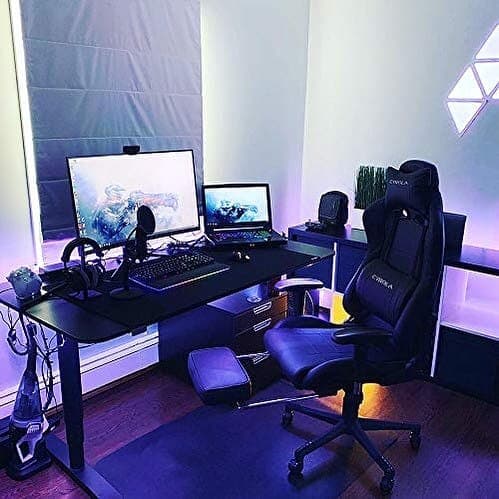
Home
Affordable Office Chair Buying Guide
The three predictable failures, the adjustments that matter, and why used commercial wins.
Best monitor under $200
Best Monitor Under $200 (October 2026)
27-inch 1440p IPS is the sweet spot at $200. Five picks, and the marketing spec you should ignore entirely.
Shop by price
Under $500
The serious end of budget. Laptops, mattresses, espresso machines and automatic watches.
Category
Home
Vacuums, air purifiers, chairs and mattresses, judged on the two or three specs that actually matter.
Think we got a pick wrong, or spotted one that is out of stock or over its ceiling? Tell us - corrections go to the front of the queue.