Tech & gadgets - under $500
Best Smart TV Under $500 (October 2026)
This is the tier where budget TVs stopped being a compromise. The thing that separates them is backlight control, not resolution.
By Brijon M. - Published October 11, 2026
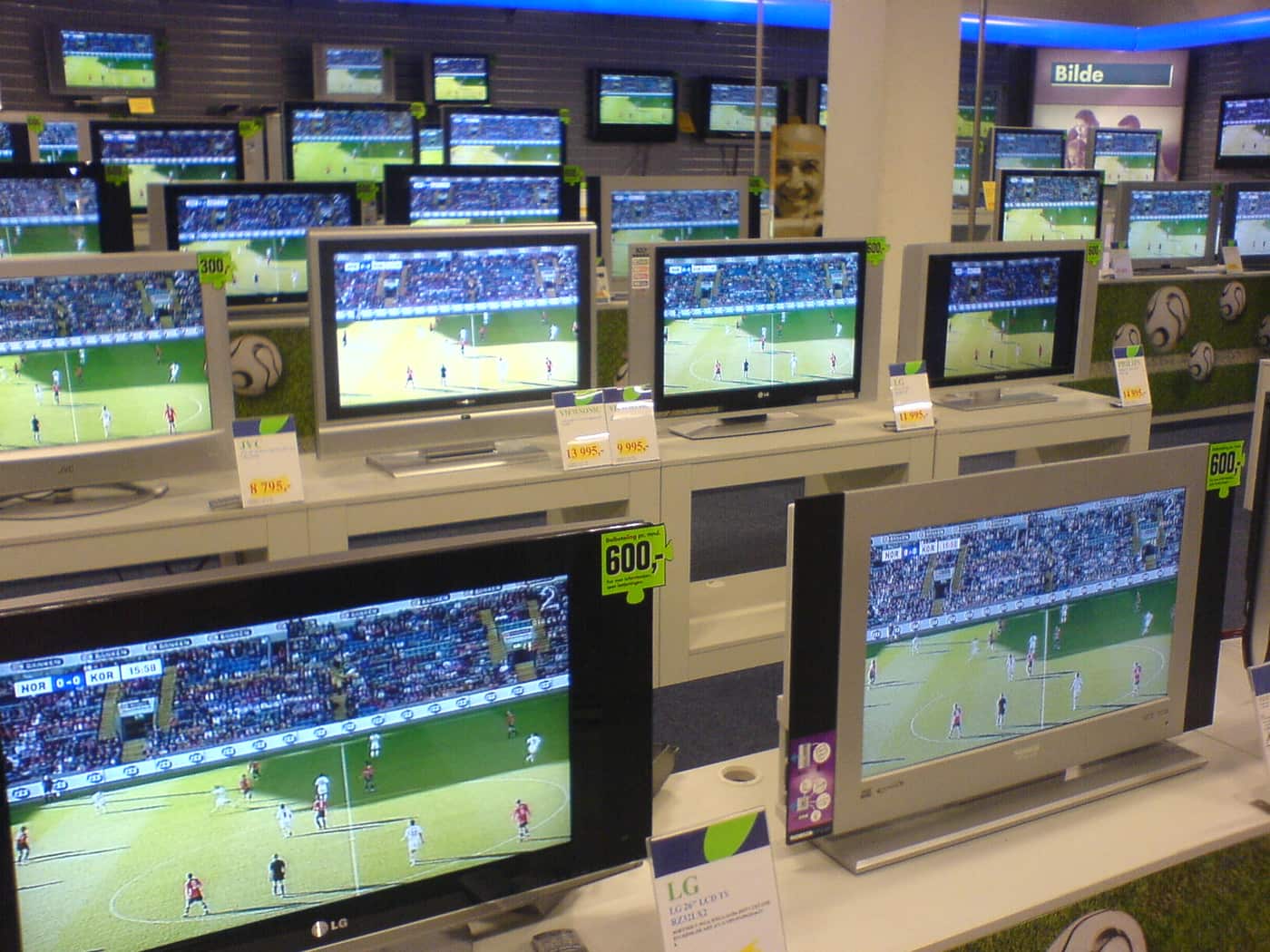
The short answer
Under $500 the pick for most people is a 55-inch QLED with local dimming - the TCL Q6 class of set. Every TV at this price is 4K, so resolution tells you nothing; what separates a good $450 TV from a bad one is how many backlight zones it can dim independently, and whether the panel runs at a native 60Hz or 120Hz.
Disclosure: we earn commission on qualifying purchases made through the links below, at no extra cost to you. It never changes the order of our picks - here is how that works.
Why 4K tells you nothing in 2026
Every television on this list is 4K, and so is every television in the store. Resolution stopped being a differentiator around 2019, and a listing that leads with "4K Ultra HD!" is telling you the one thing that is true of all of its competitors.
What actually varies between a $280 55-inch and a $480 55-inch is contrast control - how dark the set can make one part of the screen while another part stays bright. A cheap LED panel has a single backlight behind the whole screen, so a night scene with a bright moon turns the entire frame gray. A set with local dimming divides that backlight into zones it can switch down independently, and the more zones, the closer it gets to the inky blacks people associate with OLED.
The second variable is color volume, which is what the QLED label is actually about. A quantum-dot layer lets the panel hold saturated color at high brightness instead of washing out, and that is the difference you notice on daylight sport and animation.
Everything else on the spec sheet - HDR10, Dolby Vision support, "motion rate 240" - is either universal or marketing.
The three questions to settle before you shop
How bright is the room? A dim basement forgives a dim TV. A living room with two windows does not, and this is the single most common cause of buyer's remorse at this price. If you watch in daylight, prioritize brightness and a matte-ish finish over zone count.
Do you game on a console? If yes, you want a panel with a native 120Hz refresh rate and HDMI 2.1, and under $500 that usually means accepting a 50-inch or 55-inch rather than a 65-inch. A "120Hz effective" or "motion rate 120" label on a 60Hz panel is not the same thing.
How far away do you sit? Most people under-buy on size and over-buy on specs. At eight feet, a 55-inch is comfortable and a 65-inch is immersive. Going from a 55-inch QLED to a 65-inch basic LED at the same price is usually the wrong trade, because the bigger panel makes the weaker backlight more obvious, not less.
- Local dimming zones - the real contrast spec. More is better; "full array" beats "edge lit".
- Native 120Hz if you game. Ignore "motion rate" numbers entirely.
- Peak brightness matters more than zone count in a bright room.
- The platform (Roku, Fire TV, Google TV) decides how the set feels daily - and all three are fine.
Quick picks
The short version. Tap any row to jump to the full write-up, or go straight to Amazon to check the current price.
| # | Product | Best for | Price |
|---|---|---|---|
| 1 | TCL Q6 series QLED (55-inch) QLED color plus full-array local dimming at the price most brands charge for edge-lit. | Best overall | |
| 2 | Hisense U6 series mini-LED Mini-LED backlight means more zones and more brightness than anything else near this price. | Best for bright rooms | |
| 3 | Roku Plus Series QLED The least annoying TV software there is, now with a QLED panel behind it. | Best for simplicity | |
| 4 | Vizio Quantum series Quantum-dot color at the price other brands charge for a basic LED panel. | Best for a second room | |
| 5 | A 50-inch native 120Hz set instead of a 65-inch 60Hz one If you game, trade screen inches for a real 120Hz panel - it is the better buy. | Best for console gaming |
We do not print prices on this site. Every button opens the live Amazon listing so you see the real price at the moment you click. See our affiliate disclosure.
1. Best overall
TCL Q6 series QLED (55-inch)
QLED color plus full-array local dimming at the price most brands charge for edge-lit.
- 55-inch 4K QLED
- Full-array local dimming
- Google TV platform
- 60Hz panel with VRR
The Q6 is the set we would point almost everybody at under $500. It pairs a quantum-dot layer with a full-array backlight, which is the combination that gets you both saturated color and believable black levels - and at this price most competing sets give you one or the other.
Google TV as the platform means the full app catalog, voice search that works, and a home screen that is more aggressive about recommendations than Roku's. That is a taste question rather than a quality one.
If you can find the 65-inch of this same series inside budget during a sale, take it. Same panel technology, more of it.
What you give up
The panel is 60Hz, so console gamers who want 120fps modes should look at a smaller set with a native 120Hz panel instead. Peak brightness is good, not great, in a sunlit room.
2. Best for bright rooms
Hisense U6 series mini-LED
Mini-LED backlight means more zones and more brightness than anything else near this price.
- 55-inch 4K mini-LED
- Quantum dot color
- High zone count for the price
- Google TV
Mini-LED is the one genuinely meaningful upgrade available at this ceiling. Shrinking the backlight LEDs lets the manufacturer fit far more dimming zones behind the same panel, and the practical result is less of the halo glow you see around subtitles and streetlights on a cheaper set.
It is also the brightest option here, which matters more than any other spec if you watch sport in the afternoon with the curtains open.
Hisense's U6 line sits at the bottom of their mini-LED range, so it is the one that fits under $500 - the U7 and U8 above it are better and are not in this bracket.
What you give up
Off-angle viewing is weak: sit two seats to the side and color washes out noticeably. It is the wrong choice for a wide room with seating spread across it.
3. Best for simplicity
Roku Plus Series QLED
The least annoying TV software there is, now with a QLED panel behind it.
- 55-inch 4K QLED
- Local dimming
- Roku OS built in
- Voice remote with finder
Roku's own-brand sets exist to put Roku OS on decent hardware, and for a household that wants to press one button and watch something, that is the whole argument. The interface is a grid of apps, it does not reorganise itself, and it does not push a carousel of content you do not subscribe to.
The Plus Series is the QLED tier with local dimming, so the picture is competitive with the TCL and Hisense sets rather than an afterthought.
It is also the easiest set here to recommend to a parent or a rental property, because nobody needs to be taught how to use it.
What you give up
Fewer picture-calibration controls than the TCL or Hisense menus, and the dimming zone count is lower than the mini-LED option. You are paying a little for the software.
4. Best for a second room
Vizio Quantum series
Quantum-dot color at the price other brands charge for a basic LED panel.
- 4K quantum dot
- Frequent deep discounts
- Built-in smart platform
- Multiple sizes under $500
Vizio's value has always been in giving you one tier of panel technology more than the price suggests, and the Quantum line follows that pattern. For a bedroom, a kitchen or a spare room where the TV is on in the background, it is more set than the job needs.
It also goes on sale constantly, which in practice means the 65-inch sometimes lands inside this budget.
Treat it as the size-per-dollar pick rather than the picture-quality pick.
What you give up
Dimming is usually edge-lit rather than full array at this price, so black levels are the weakest here, and the smart platform is the least polished of the four.
5. Best for console gaming
A 50-inch native 120Hz set instead of a 65-inch 60Hz one
If you game, trade screen inches for a real 120Hz panel - it is the better buy.
- Native 120Hz panel
- HDMI 2.1 with VRR
- Lower input lag
- Usually 50-55 inches at this price
A PS5 or Xbox Series X can output 120fps in a growing number of games, and a 60Hz panel simply discards half of those frames. Under $500 you cannot have both a large panel and a native 120Hz one, so the honest advice is to pick based on what you actually do with the set.
Check the specification sheet for the phrase native 120Hz or 120Hz refresh rate, and ignore anything described as "motion rate", "effective refresh" or "clear motion index" - those numbers are generated by processing on a 60Hz panel.
Also confirm the TV has at least one HDMI 2.1 port, because the bandwidth is what carries 4K at 120Hz.
What you give up
You give up screen size, and in a living room that is a real loss. For film and TV watching only, the bigger 60Hz set is the better buy.
What you still give up versus a $1,200 TV
We would rather be straight about this than pretend the gap has closed entirely.
Peak brightness in HDR. A premium set hits several times the peak luminance of a $450 one, and HDR highlights - sun on water, a welding spark, a city at night - are where you see it. Budget sets technically accept an HDR signal and cannot deliver its full range.
Processing. Upscaling of old DVDs and low-bitrate streams, motion handling on fast pans, and gradient smoothing in dark scenes are all noticeably better on expensive hardware. This is software and silicon, and it is genuinely hard to do cheaply.
Built-in sound. Every TV in this bracket sounds thin, and so do most TVs above it. Budget a soundbar separately rather than expecting the panel to solve it - the best soundbars under $200 cover the whole range of what that fix costs.
Viewing angles. Cheap VA panels lose contrast and color off-axis. If your sofa is wide, this is the compromise you will notice most.
Where to spend the money you saved
A $450 TV with a $150 soundbar beats a $600 TV with built-in speakers, every time, and it is not a close call. Dialogue intelligibility is the single biggest upgrade available to a budget home cinema, and the panel cannot fix it.
The second-best use of the saved money is a decent streaming stick if the built-in platform irritates you, and the third is a wall mount - getting the screen to eye height does more for the experience than any picture setting.
If you want the reasoning behind that trade in more detail, our cheap smart TV buying guide walks through the specs manufacturers use to make a weak panel look strong on paper.
For a projector instead of a panel - a genuinely different experience in a dark room - see the best projectors under $200.
How we picked
We shortlisted sets that are currently sold in the US under a $500 street price in the 50-to-65-inch range, then ranked them on the two specifications that independent panel testing consistently shows drive perceived picture quality at this tier: backlight dimming granularity and peak brightness.
We have not measured these panels ourselves and we do not claim to have. Where we describe a difference, it is one that is documented in the manufacturer's own specifications or in published independent measurements, and we have said which pick is better for which room rather than naming a single winner for everyone.
Our full method, including what we will not do, is on how we pick.
How we picked
Every pick on this page is a real, currently-sold product that we could find at or under $500 at the time of the last update. Rank order is set before any link is attached.
We are research-led, not lab-led. We do not run a test lab and we do not claim to have personally used every product on this site. Picks come from manufacturer specifications, owner-reported reliability and failure patterns, expert-publication consensus, and real availability at the stated price ceiling. Read the full method.
Common questions
+Is a QLED TV worth it under $500?
Yes, if it also has local dimming. Quantum dots improve color at high brightness, but a QLED panel with a single edge-lit backlight still produces gray blacks. The pairing of QLED plus full-array dimming is what makes the picture better, not the QLED label alone.
+Should I buy a bigger TV or a better one?
Bigger, up to the point where the backlight gives out. A 55-inch set with full-array dimming beats a 65-inch set with edge-lit dimming at the same price, because the larger panel makes the weaker backlight more visible rather than less.
+Is 120Hz worth it on a budget TV?
Only if you game on a current console or PC. For films and streaming, almost nothing is produced above 60fps, so a native 120Hz panel buys you nothing. Be careful: "motion rate 120" on a 60Hz panel is a processing figure, not a refresh rate.
+Which smart TV platform is best?
Roku is the simplest and least pushy, Google TV has the best search and recommendations, Fire TV is best if you already live in Amazon's ecosystem. All three carry every major app, so pick on taste - and remember you can always add a streaming stick later.
+Do I need a soundbar with a cheap TV?
Effectively yes. Thin panels cannot house speakers with any cabinet volume, so dialogue sits flat and low. A modest soundbar is the single biggest improvement you can make to a budget TV, and it costs far less than moving up a panel tier.
Sources
Read next
Tech & gadgets
Cheap Smart TV Buying Guide: What Actually Matters Under $500
The three TV specs worth paying for under $500, the ones that are marketing, and which brands are currently worth buying.
Best soundbar under $200
Best Soundbar Under $200 (October 2026)
Four soundbars under $200, ranked on the only two things that matter at this price: a real subwoofer and clear dialogue.
Best projector under $200
Best Projector Under $200 (October 2026)
Four cheap projectors that are honest about brightness, plus the unit conversion that stops you overpaying for a dim picture.
Shop by price
Under $500
The serious end of budget. Laptops, mattresses, espresso machines and automatic watches.

Category
Tech & Gadgets
Earbuds, laptops, monitors, cameras and the rest - where the budget tier is genuinely close to the flagship.
Think we got a pick wrong, or spotted one that is out of stock or over its ceiling? Tell us - corrections go to the front of the queue.