Tech & gadgets - under $100
Best Printer Under $100 (October 2026)
Printers are sold at a loss and monetised through consumables. The only honest way to compare them is cost per page.
By Brijon M. - Published October 11, 2026
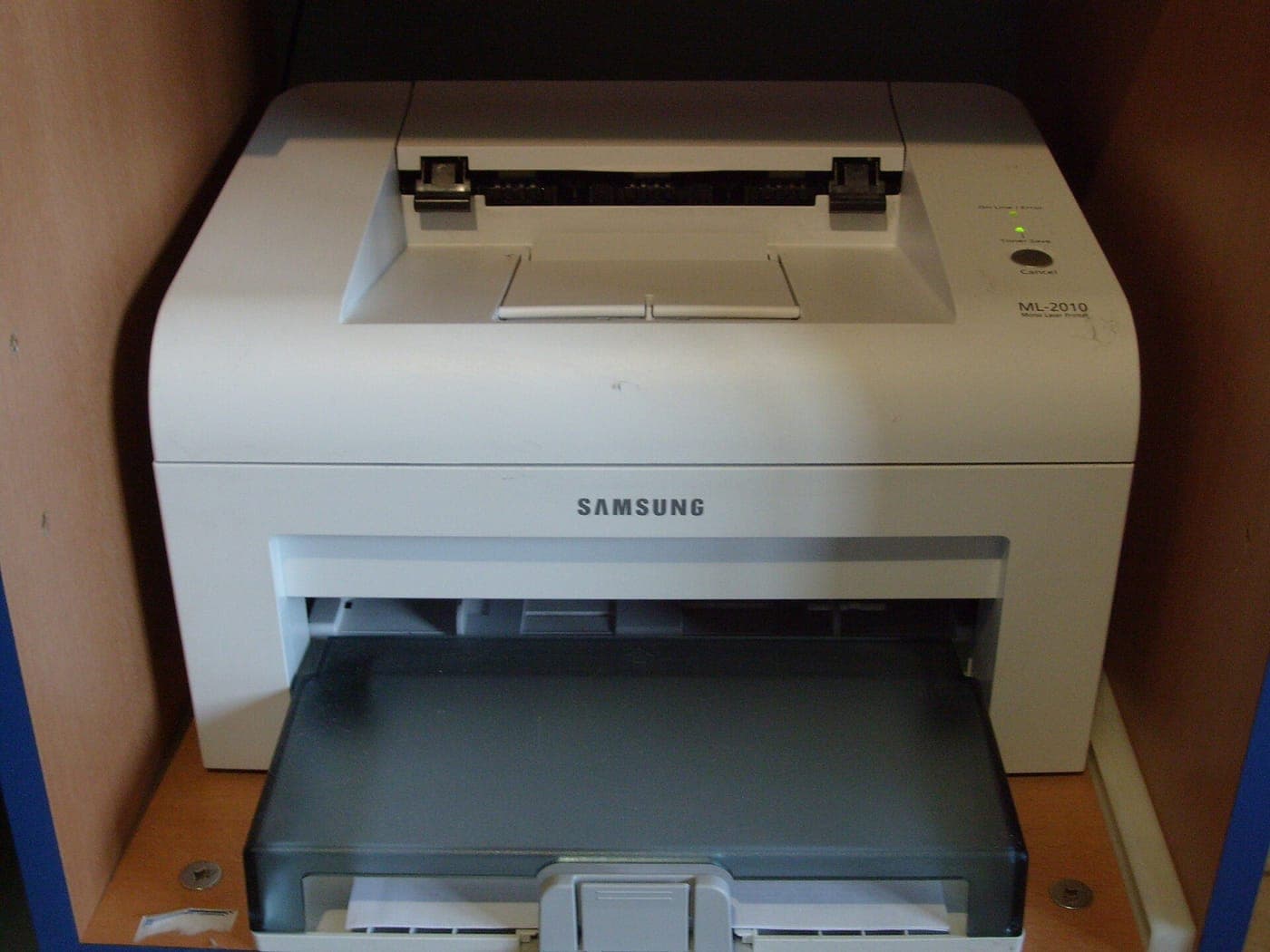
The short answer
For a household that prints documents, the right buy under $100 is a monochrome laser - the Brother HL-L2000 series class of machine - because toner costs a fraction of ink per page and never dries out. Buy a cheap inkjet only if you genuinely need color or photos, and expect the cartridges to cost more over two years than the printer did.
Disclosure: we earn commission on qualifying purchases made through the links below, at no extra cost to you. It never changes the order of our picks - here is how that works.
The business model, stated plainly
A printer is one of the few products where the purchase price tells you almost nothing about what it costs. Manufacturers sell entry-level hardware at or near cost and make their margin on cartridges, which is why a $59 all-in-one can ship with starter cartridges that cost $45 to replace.
This changes how you should shop. The number to compare is cost per page, and across the whole category it varies by roughly an order of magnitude: a few cents a page on a monochrome laser, up to twenty or thirty cents a page on a cheap inkjet using standard-yield cartridges.
Work out roughly how many pages you print a month, multiply by the cost per page, and multiply by twenty-four. That number, plus the purchase price, is what the printer actually costs. For a household printing a hundred pages a month, the laser is cheaper by a wide margin before the second year is out.
Two other costs are easy to miss: subscription ink programs, which are genuinely good value at high volume and poor value at low volume, and dried-up cartridges, which is a real and recurring cost for infrequent inkjet users.
Laser or inkjet - decide this first
Everything else follows from this choice, and most people choose wrong.
Buy a laser if you mostly print text - school forms, shipping labels, tax documents, recipes, tickets. Toner is a dry powder, so it does not dry out between jobs, a cartridge lasts hundreds or thousands of pages, and the text is crisper than inkjet text. The classic failure mode of household printing - needing one page urgently and finding the cartridge dried solid - simply does not happen.
Buy an inkjet if you need color, print photos, or print so rarely that per-page cost is irrelevant and purchase price is everything. Inkjets are also physically smaller and quieter.
Consider a refillable-tank inkjet if you print a lot of color. The machines cost more than $100, but the ink cost per page is dramatically lower, and if your volume is high the payback is quick.
The honest summary: most homes think they need color and print black text. A monochrome laser is the pick for the majority.
- Cost per page is the real spec. Everything else is secondary.
- Toner does not dry out. Ink does, and that is a recurring cost if you print rarely.
- Duplex (two-sided) printing halves your paper cost - check whether it is automatic or manual.
- Check the cartridge price before you buy the printer. Not after.
Quick picks
The short version. Tap any row to jump to the full write-up, or go straight to Amazon to check the current price.
| # | Product | Best for | Price |
|---|---|---|---|
| 1 | Brother compact monochrome laser Cheap toner, nothing dries out, and it will still work in five years. | Best overall | |
| 2 | Canon PIXMA wireless all-in-one Print, scan and copy in color, with a purchase price well under budget. | Best for color and scanning | |
| 3 | HP DeskJet wireless inkjet The lowest purchase price here, if you truly print only a handful of pages a month. | Best for very low volume | |
| 4 | A refurbished office laser Business hardware built for 50,000 pages, at the price of consumer hardware built for 500. | Best value per page | |
| 5 | No printer at all If you print under ten pages a month, ownership is the expensive choice. | The option worth considering honestly |
We do not print prices on this site. Every button opens the live Amazon listing so you see the real price at the moment you click. See our affiliate disclosure.
1. Best overall
Brother compact monochrome laser
Cheap toner, nothing dries out, and it will still work in five years.
- Monochrome laser
- Wireless and USB
- Automatic duplex on most models
- High-yield toner available
Brother's entry laser line is the default recommendation for a household printer and has been for years. The reasons are unglamorous: toner cartridges are cheap relative to their page yield, high-yield versions are available, third-party toner works, and the machines keep running.
For the common household printing jobs - a return label, a school permission slip, a boarding pass, a recipe - this is simply the right tool. Text is sharp, the first page comes out fast, and there is no maintenance cycle wasting consumables.
Look for a model number with a D in it, which denotes automatic duplex. Printing two-sided by default halves your paper use and is the single easiest saving available.
What you give up
Black and white only, so no photos and no color charts. Lasers are also physically larger and heavier than inkjets, and the fuser makes them warm up with an audible noise.
2. Best for color and scanning
Canon PIXMA wireless all-in-one
Print, scan and copy in color, with a purchase price well under budget.
- Color inkjet all-in-one
- Flatbed scanner and copier
- Wireless with mobile printing
- Compact footprint
If you need a scanner as much as a printer - and plenty of households do, for documents that have to be returned signed - an inkjet all-in-one is the practical choice, because cheap laser multifunctions cost more than this budget.
The PIXMA line scans well for the money, handles color adequately, and the mobile printing apps work without a fight.
Buy the XL cartridges from the start. Standard-yield cartridges in this class are priced to punish you.
A note on scanning: if that is the only reason you want an all-in-one, your phone camera plus a free scanning app produces a perfectly acceptable document scan.
What you give up
Ink is the expensive way to print, and if you leave it unused for a month or two the heads can clog and waste a cleaning cycle. Photo quality is fine for a fridge door, not for framing.
3. Best for very low volume
HP DeskJet wireless inkjet
The lowest purchase price here, if you truly print only a handful of pages a month.
- Color inkjet
- Very low purchase price
- Wireless and app printing
- Smallest footprint
There is a legitimate case for the cheapest possible printer: if you print ten pages a month, cost per page is a rounding error and you are buying a device that mostly sits idle. The DeskJet line is designed for exactly that buyer.
It is small enough to live on a shelf, sets up from a phone, and costs little enough that replacing it in four years is not painful.
Read the terms carefully if the machine is offered with an ink subscription. The subscriptions can be good value - and they can also mean cartridges that stop working when a plan lapses, so know which you are signing up for.
What you give up
The worst cost per page in this list by a wide margin, slow printing, and the nozzles are the most prone to drying out if the printer sits unused. Not the machine for a household that prints regularly.
4. Best value per page
A refurbished office laser
Business hardware built for 50,000 pages, at the price of consumer hardware built for 500.
- Ex-office monochrome laser
- Very high duty cycle
- Cheap, widely available toner
- Often includes duplex and networking
This is the pick for anyone willing to do a small amount of homework. Office printers are built to a completely different durability standard than consumer ones, they are retired in volume on lease cycles, and refurbished units land well inside this budget.
The running cost is the real win: office-grade toner cartridges have high page yields and are sold cheaply by a competitive third-party market.
Two things to check before buying: that toner is still manufactured for the model, and the page count the unit has already done relative to its rated duty cycle. A seller who will not tell you the page count is telling you something.
Prefer a listing with a return window, and expect a bulky, heavy machine.
What you give up
Large, heavy and often loud, with no warranty worth the name. Driver support for very old models on current operating systems can be patchy - check before you buy, not after.
5. The option worth considering honestly
No printer at all
If you print under ten pages a month, ownership is the expensive choice.
- No purchase price
- No dried cartridges
- Per-page walk-in cost
- Requires a trip
We would rather name this than pretend everyone needs a printer. If your printing is a few pages a month, the total cost of owning a printer - purchase, cartridges, cartridges that dried out unused, and the shelf space - comfortably exceeds walking into a library or shipping store a few times a year.
Most shipping carriers will also print a return label from a QR code at the counter, which removes what is for many households the single most common reason to own a printer.
If you do have an occasional urgent need, a phone plus a nearby print shop covers it.
Buy a printer when the frequency justifies it. Below that threshold, the sensible budget purchase is no purchase.
What you give up
No good when you need a page right now at 11pm, and handing documents to a third party is not appropriate for anything confidential. For a household with school-age children, ownership usually wins.
Cost per page, worked through
The arithmetic is what makes this decision obvious, so here is how to do it for any printer you are looking at, with numbers you can check on the listing yourself.
Find the cartridge price and its rated page yield. Both are published. Divide the price by the yield and you have cost per page. Do it for the high-yield cartridge too, because that is usually the one you should actually buy.
Multiply by your real monthly volume. Not your aspirational volume - look at how much paper you have actually bought in the last year.
Multiply by 24 for a two-year cost, and add the purchase price.
Run that for a cheap inkjet and a cheap mono laser at a hundred pages a month and the laser wins well before the end of year one, even though it costs more to buy. Run it at ten pages a month and the inkjet wins, because almost nothing is being spent on consumables either way.
That is the whole decision. Everything else - app quality, design, scan resolution - is a tiebreaker.
If you are still weighing the two technologies rather than individual models, inkjet vs laser printer for home use runs the same arithmetic across all three options, including refillable-tank inkjets.
Things that quietly cost you money
Manual duplex. If the printer cannot print both sides automatically, you will print single-sided, and your paper cost doubles. Automatic duplex is worth hunting for.
Starter cartridges. The cartridges in the box are frequently partially filled. The first replacement comes sooner than you expect, and that is by design.
Cleaning cycles. An inkjet that sits idle runs head-cleaning routines that consume ink you never printed with. Print something every couple of weeks or accept the loss.
Firmware that rejects third-party cartridges. This is a real and changing situation across brands. If buying third-party consumables is part of your plan, check the current state for the specific model before committing.
Color cartridges used for black printing. Some inkjets mix color ink into composite black, or refuse to print at all when one color runs out. Worth knowing in advance.
How we picked
We ranked on two-year total cost of ownership rather than purchase price, using published cartridge prices and manufacturer page-yield ratings, and we only included machines currently sold in the US with a street price under $100.
Two of the five entries are deliberately not a new consumer printer, because for a meaningful share of households a refurbished office laser or no printer at all is the better answer. Recommending a $59 inkjet to someone who prints three pages a month would make us money and cost them money.
We have not tested print quality in a lab and make no claim to. Our method is on how we pick, and the related guides below cover the other side of the home-office setup.
How we picked
Every pick on this page is a real, currently-sold product that we could find at or under $100 at the time of the last update. Rank order is set before any link is attached.
We are research-led, not lab-led. We do not run a test lab and we do not claim to have personally used every product on this site. Picks come from manufacturer specifications, owner-reported reliability and failure patterns, expert-publication consensus, and real availability at the stated price ceiling. Read the full method.
Common questions
+Is a cheap laser printer better than a cheap inkjet?
For text, yes, and by a wide margin on running cost. Toner costs a few cents a page against twenty or more for cheap inkjet ink, and it never dries out between jobs. Buy an inkjet only if you genuinely need color or photos.
+Why is printer ink so expensive?
Because the printer is sold at or near cost and the margin lives in the consumable. That is the business model, not an accident, and it is why cost per page rather than purchase price is the only sensible way to compare printers.
+Do I need a printer with a scanner?
Only if you regularly need high-quality scans of multi-page documents. For an occasional signed form, a phone camera with a free scanning app produces an acceptable PDF, and skipping the all-in-one lets you buy a cheaper laser with better running costs.
+How often should I use an inkjet printer to stop it drying out?
Print something at least every two or three weeks. Pigment and dye inks dry in the nozzles when idle, and the recovery is a head-cleaning cycle that consumes ink. If you cannot commit to that, a laser is the better choice.
+Is automatic duplex printing worth it?
Yes. It halves your paper consumption with no effort, because manual two-sided printing is something almost nobody actually does. Look for a D in Brother and HP model numbers, or the phrase automatic two-sided printing on the listing.
Sources
Read next
Tech & gadgets
Inkjet vs Laser Printer for Home Use
Cost per page varies by roughly ten to one across this category. Which technology wins, at what volume, and the trap in the middle.
Best webcam under $50
Best Webcam Under $50 (October 2026)
Five webcams under $50 and the uncomfortable truth about all of them: your lighting matters more than the camera does.
Best monitor under $200
Best Monitor Under $200 (October 2026)
27-inch 1440p IPS is the sweet spot at $200. Five picks, and the marketing spec you should ignore entirely.

Best office chair under $200
Best Office Chair Under $200 (October 2026)
What $200 buys, where cheap chairs fail, and why a used commercial chair may beat all of them.

Shop by price
Under $100
The sweet spot. The only price ceiling with real search demand in all seven categories we cover.

Category
Tech & Gadgets
Earbuds, laptops, monitors, cameras and the rest - where the budget tier is genuinely close to the flagship.
Think we got a pick wrong, or spotted one that is out of stock or over its ceiling? Tell us - corrections go to the front of the queue.